Convert Table to Text

With the Text To Table Converter Add-On, you can quickly transform tables back into neatly formatted, comma-separated text (CSV style) directly within Google Docs™, Google Slides™, and Google Sheets™.
Convert a Table to Text
Section titled “Convert a Table to Text”This process extracts the data from your selected table(s) and outputs it as plain text, with columns separated by commas and rows separated by newlines.
-
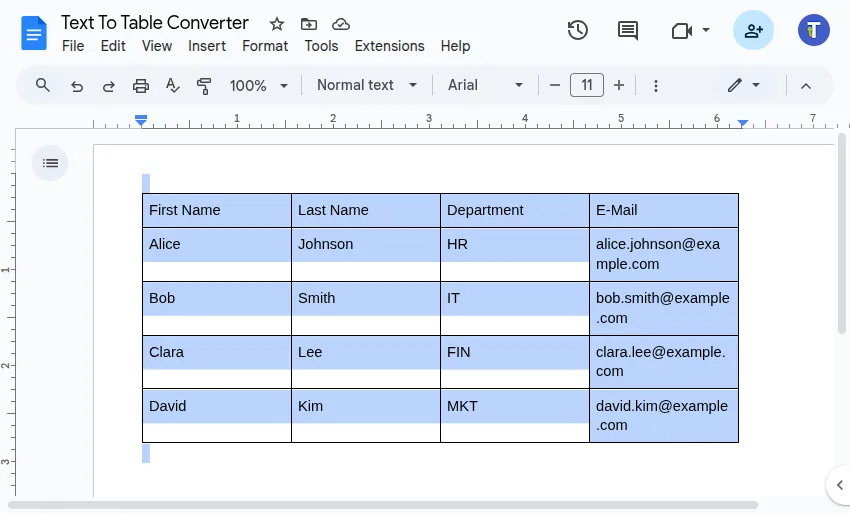
Select the Table(s) Position your cursor inside the table you wish to modify, or select the entire table explicitly. You can also select several tables.
-
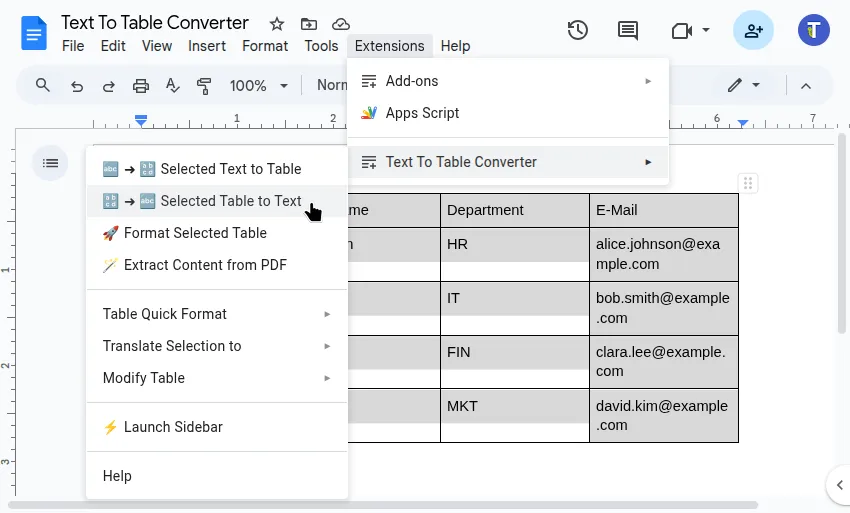
Run the Converter Use either:
- Sidebar: Convert & Format > Table to Text
- Menu:
Extensions>Text To Table Converter>Selected Table to Text
-
View the Result The Add-On extracts the table data and inserts it as comma-separated text directly below the original table.
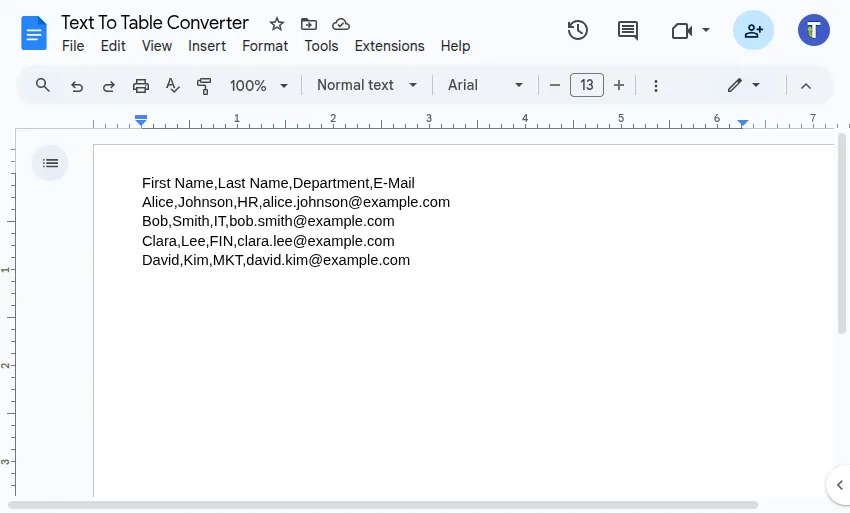
Example Resulting Text Format:
First Name,Last Name,Department,E-Mail